6 min read • 1,128 words
Have you ever noticed that your smartphone slows down significantly after just a year of use? This common issue affects many users and can be attributed to a variety of factors. As smartphones accumulate background processes over time, they consume valuable resources that can hinder performance. Additionally, software updates, while essential for security and functionality, often require more resources than older hardware can efficiently handle.
Another reason for your smartphone slow down is the gradual filling up of storage space with apps, photos, and other data. When storage is limited, the system struggles to operate smoothly, leading to frustrating lag. Furthermore, battery degradation can also play a role, as smartphones may throttle their speed to conserve power. As devices age, they may not support new apps or features effectively, further contributing to a decline in performance. Understanding these factors can help you maintain your device and make informed decisions about upgrades.
Understanding Smartphone Performance
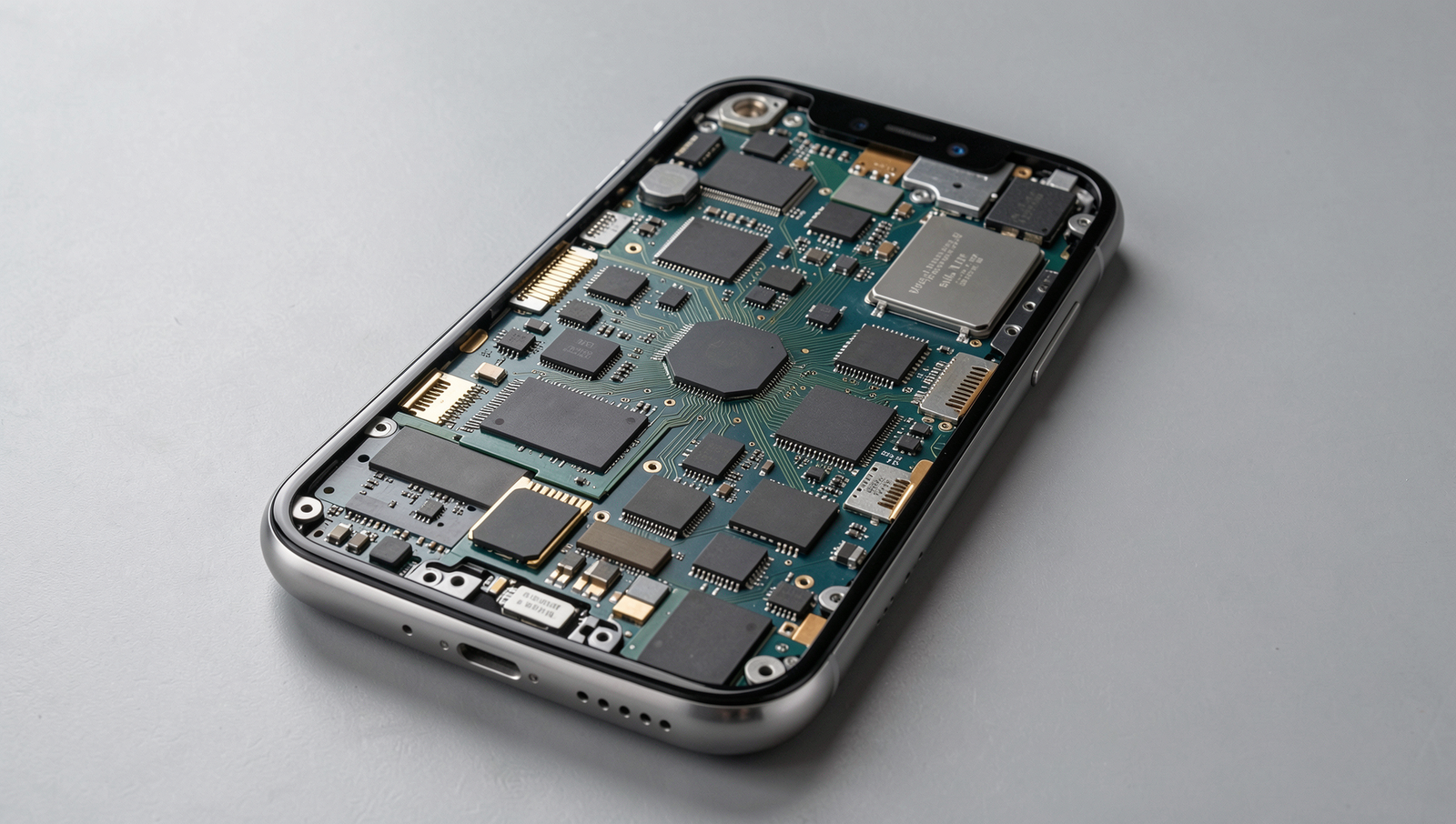
Smartphones are complex devices composed of various components that work together to deliver performance. Key components affecting speed include the processor, RAM, and storage. The processor, often referred to as the brain of the smartphone, executes tasks and runs applications. RAM temporarily stores data for quick access, while storage holds the operating system and apps. Over time, these components can become less efficient, leading to a smartphone slow down.
The operating system (OS) plays a crucial role in managing hardware resources and ensuring smooth operation. As the OS receives updates, it may introduce new features that require more processing power or memory, which can strain older hardware. For example, a smartphone running an outdated OS may struggle with newer applications designed for more advanced systems.
Hardware limitations also contribute to performance degradation over time. As apps become more demanding, older devices may not keep up, resulting in lag and slow response times. Additionally, the accumulation of data and apps can fill up storage, further hindering performance.
Software updates and optimizations are essential for maintaining smartphone speed. Regular updates can improve efficiency and fix bugs that may cause slowdowns. Users should prioritize keeping their devices updated to benefit from these enhancements. Here are some practical tips to help mitigate smartphone slow down:
- Uninstall unused apps to free up storage.
- Clear cache regularly to improve speed.
- Limit background processes to enhance performance.
- Consider factory resetting the device if it becomes too slow.
Factors Contributing to Slowdown
One of the primary reasons your smartphone slow down after a year is the accumulation of background apps and processes. Over time, as you install more applications, many of them continue to run in the background, consuming valuable system resources. For instance, social media apps often refresh content in the background, leading to increased memory usage and slower performance.
Another significant factor is storage space management and fragmentation. As you save more files, photos, and apps, your device’s storage can become fragmented. This means that data is not stored in contiguous blocks, making it harder for the system to access it quickly. Regularly clearing out unused apps and files can help mitigate this issue.
- Delete apps you no longer use.
- Clear cache data regularly.
- Use cloud storage for photos and videos.
Battery health also plays a crucial role in your smartphone’s performance. As batteries age, they may not provide consistent power, leading to throttling of the CPU to conserve energy. This can result in noticeable slowdowns during demanding tasks.
Lastly, the impact of app updates and heavy applications cannot be overlooked. Many apps receive updates that add features but also require more resources. For example, a game that once ran smoothly may start to lag after an update that enhances graphics but increases the demand on your smartphone’s hardware.
Mitigating Smartphone Slowdown
To combat smartphone slow down, regular maintenance is essential. Simple practices can significantly enhance your device’s performance. Here are some tips:
- Clear Cache Regularly: Accumulated cache can slow down your smartphone. Use the settings menu to clear app cache periodically.
- Uninstall Unused Apps: Remove apps that you no longer use to free up storage space and reduce background processes.
- Limit Background Processes: Disable background app refresh for apps that don’t need to run constantly.
Managing storage effectively is crucial for maintaining speed. Consider these best practices:
- Use Cloud Storage: Offload photos and videos to cloud services to save local storage.
- Organize Files: Regularly sort and delete unnecessary files, keeping your storage optimized.
Software updates play a vital role in performance. Always ensure your device is running the latest version of its operating system. This can fix bugs and improve efficiency. Additionally, performing a factory reset can help restore your smartphone to its original speed, especially if it’s been sluggish for a while.
Finally, if your smartphone continues to slow down despite these efforts, it might be time to consider hardware upgrades. Upgrading components like RAM or switching to a device with a more powerful processor can provide a significant boost in performance.
Conclusion
In summary, there are several reasons why your smartphone may slow down after a year of use. Factors such as software updates, app accumulation, and hardware limitations can contribute to a noticeable decline in performance. As apps become more demanding and operating systems evolve, older devices may struggle to keep up, leading to a frustrating user experience.
To mitigate the issue of smartphone slow down, regular maintenance practices such as clearing cache, uninstalling unused apps, and managing storage can help maintain optimal performance. Additionally, considering hardware upgrades or investing in a new device may be necessary as technology continues to advance. By staying proactive, you can ensure your smartphone remains efficient and responsive for as long as possible.
Frequently Asked Questions
Why does my smartphone slow down after a year?
Smartphones can slow down over time due to several factors, including software updates that require more resources, accumulation of apps and data, and background processes that consume memory and processing power. Additionally, battery wear can affect performance as the device tries to manage power more efficiently.
Can I speed up my smartphone?
Yes, you can speed up your smartphone by clearing cache data, uninstalling unused apps, disabling background processes, and ensuring that your operating system is up to date. You can also consider resetting your device to factory settings as a last resort, but be sure to back up your data first.
Does storage space affect smartphone speed?
Yes, storage space can significantly affect smartphone speed. When your device’s storage is nearly full, it can slow down performance as the system struggles to manage files and applications. Keeping at least 15-20% of your storage free can help maintain optimal performance.